
Prime Day generates more data than almost any other date in the Amazon calendar, and knowing which metrics to prioritise, both during the event and in the review that follows, is what turns that volume of information into a complete and accurate picture of performance.
Making Sense of the In-Event Signals
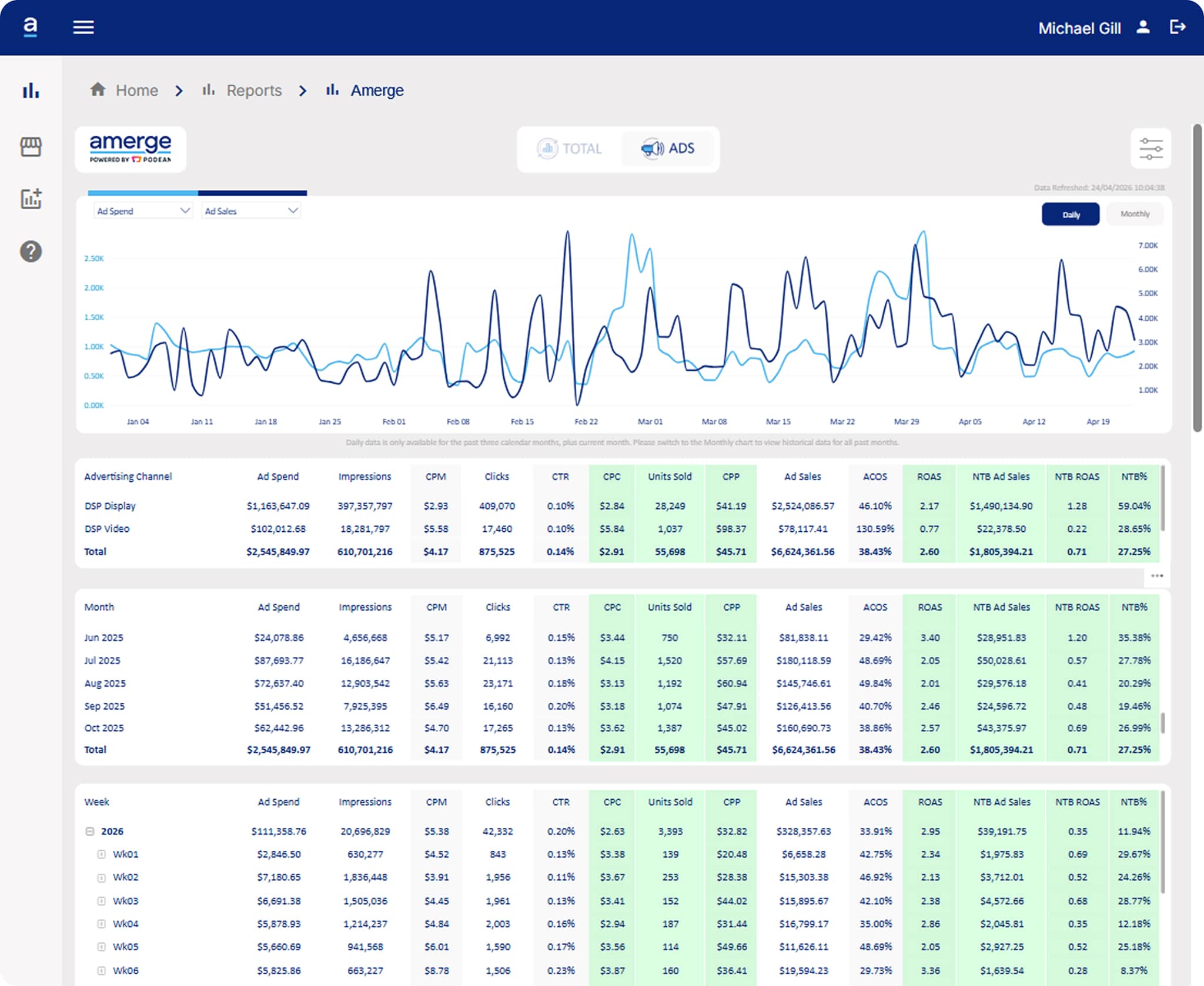
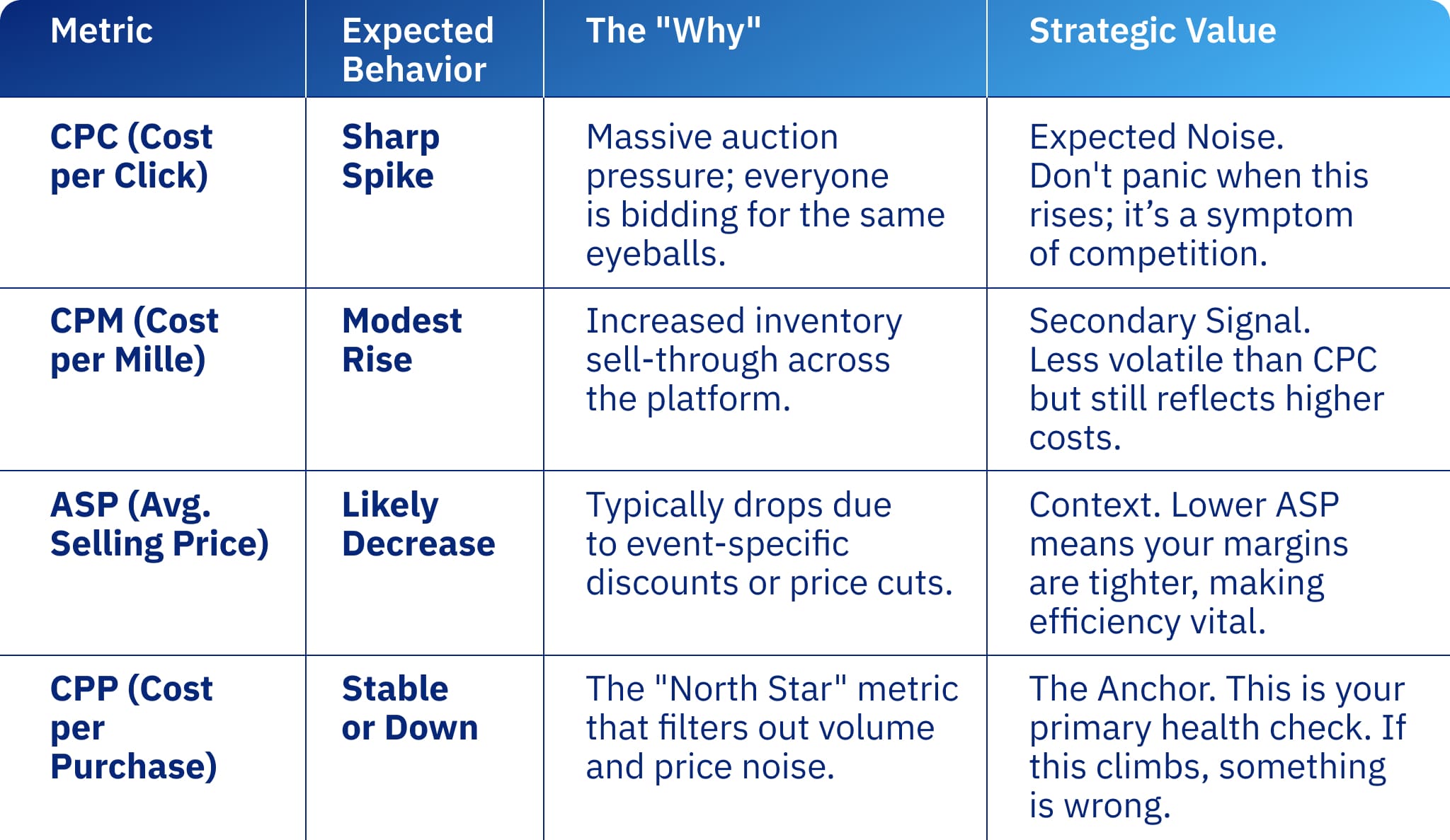
Cost per Click (CPC) will spike sharply during the event, and understanding why puts you in a much stronger position. The increase reflects auction pressure, with hundreds of advertisers bidding on the same placements simultaneously and driving up CPC across the board. Cost per Thousand Impressions (CPM) rises too, though far more modestly, as ad inventory sell-through increases. The metric to anchor on instead is Cost per Purchase (CPP): it ties cost directly to a purchase regardless of volume and price and gives you a clean, reliable signal amid the noise. You would want your CPP to stay flat or go down, especially if your Average Selling Price (ASP) is lowered due to price drops. CPP climbing during the peak event, even as the volume goes up, is a prompt to investigate.
Putting Volume at the Heart of Your In-Event Analysis
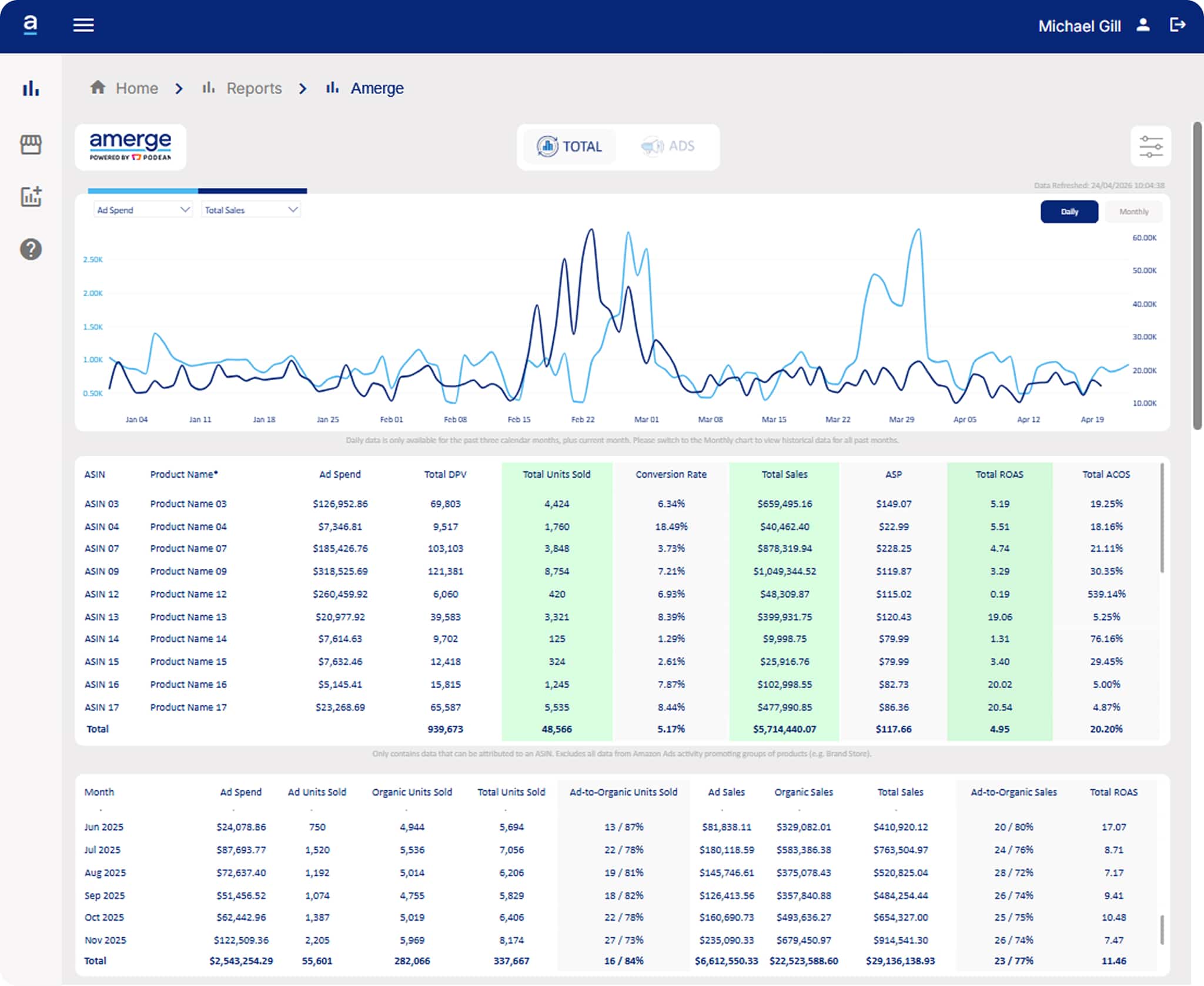
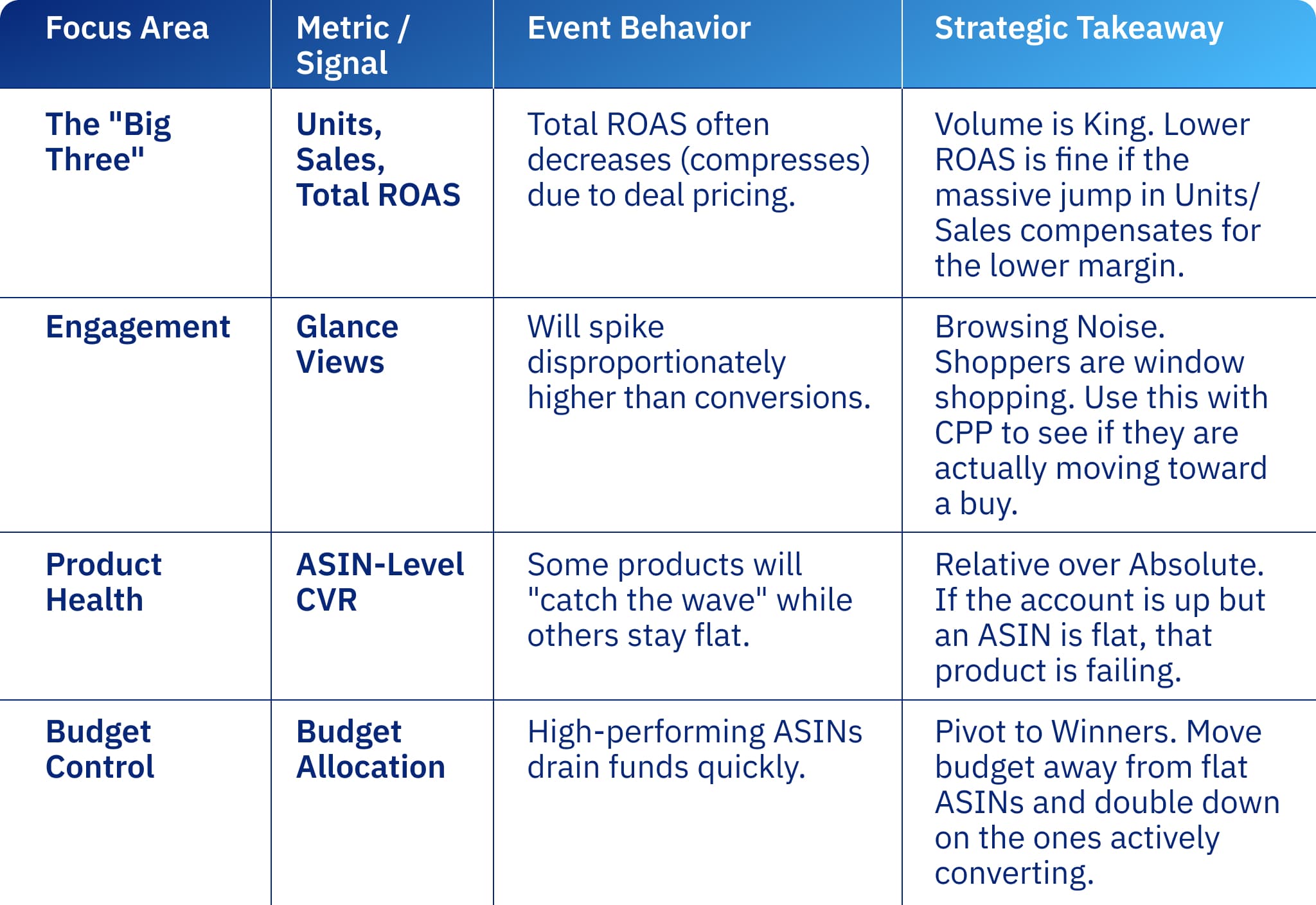
With that lens in place, your primary focus in Amerge View should shift to the bottom-funnel metrics that reflect the true measure of Prime Day success: Units Sold, Total Sales, and Total ROAS in the Total tab. If your brand is running deals or promotional pricing, expect Total ROAS to compress on the revenue side regardless of how well campaigns are executing, as price reductions affect the denominator. The question is always whether volume is compensating.
Keeping volume front of mind also helps contextualise Glance Views, which will naturally increase disproportionately to conversions during the event as shoppers browse broadly before committing. This is entirely consistent across categories, and taken alongside your CPP trend, it builds a fuller picture of how shoppers are engaging with your products before the purchase decision is made.
At the ASIN level, relative performance is more instructive than absolute numbers. If account-level conversion rates are up strongly but a specific ASIN is flat, it is not participating in the uplift in the way others are. Shifting budget toward products that are actively converting during the event is the sharper call, and one that Amerge View gives you the visibility to make with confidence.
Completing the Picture With New-to-Brand Performance
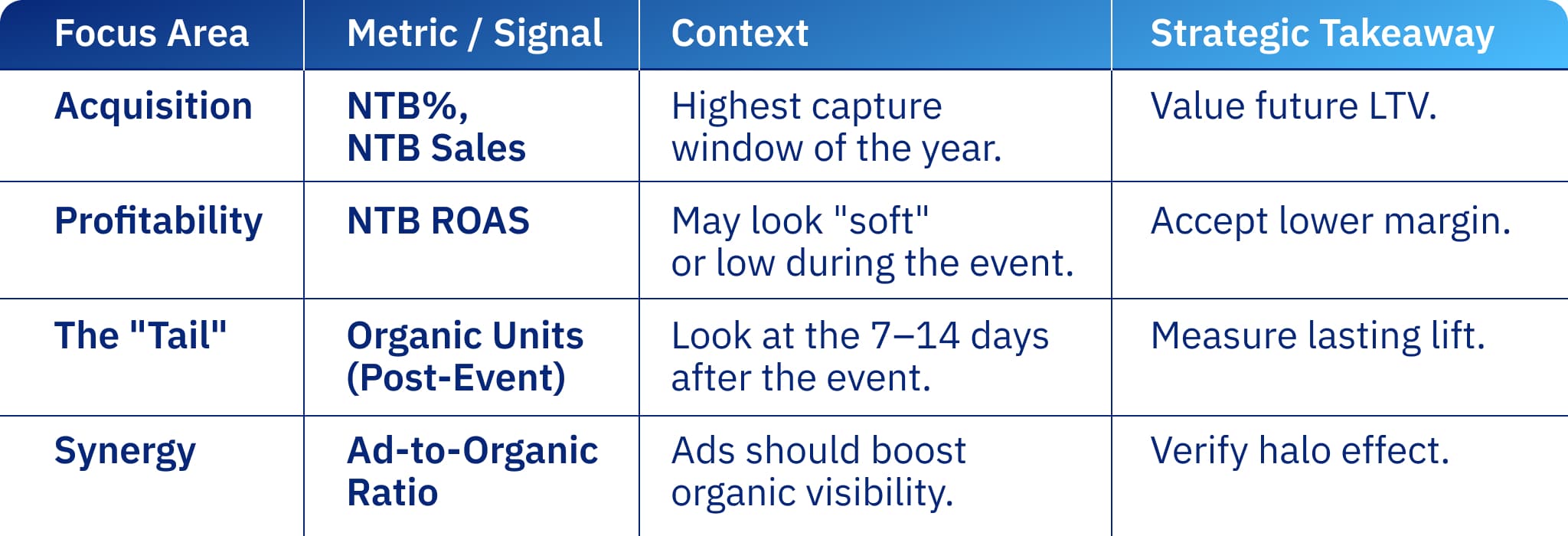
As one of the highest new-to-brand acquisition opportunities of the year, Prime Day warrants a broader frame than raw volume, and your NTB Ad Sales, NTB ROAS, and NTB% in the Ads tab provide essential context. A campaign running at a softer ROAS during the event can still represent excellent long-term performance if NTB% is high, assuming those customers return. Building NTB volume into how you present results, both internally and to stakeholders, ensures the full value of the event is properly recognised.
Carrying Your Evaluation Into the Post-Event Window
The final part of that story plays out in the days that follow. Assessing your Total Sales and Organic Units for the 7 to 14 days following the event in the Total tab, alongside the Ad-to-Organic ratio, gives you a read on whether the event drove sustained momentum or a single spike. A well-executed Prime Day should see ads amplifying organic lift and building visibility that carries forward. That post-event tail is a meaningful part of the ROI story, and tracking it consistently will sharpen how you plan and evaluate every major event that follows.
Did you like what you just read?
Then check out the screenshots from Amerge View that include the metrics we mentioned. And visit our Tech & Analytics page, if you are eager to learn even more.